Transferring Organisation Samples
This page covers transferring organisation samples in the Trakka web interface. Transferring sample records to a new organisation will remove organisation samples and register those samples as being part of the new organisation.
Note: You will not be able to reverse this action yourself.
Selecting samples for transfer
Samples can be transferred directly from within the organisation's sample view. Samples can only be transferred if you have the Uploader role in the source organisation, and the Contributor role in the destination organisation.
From within the organisation sample view, to select samples for transfer:
- Select the candidate samples from the table
- Click the transfer menu in the top right header of the sample table
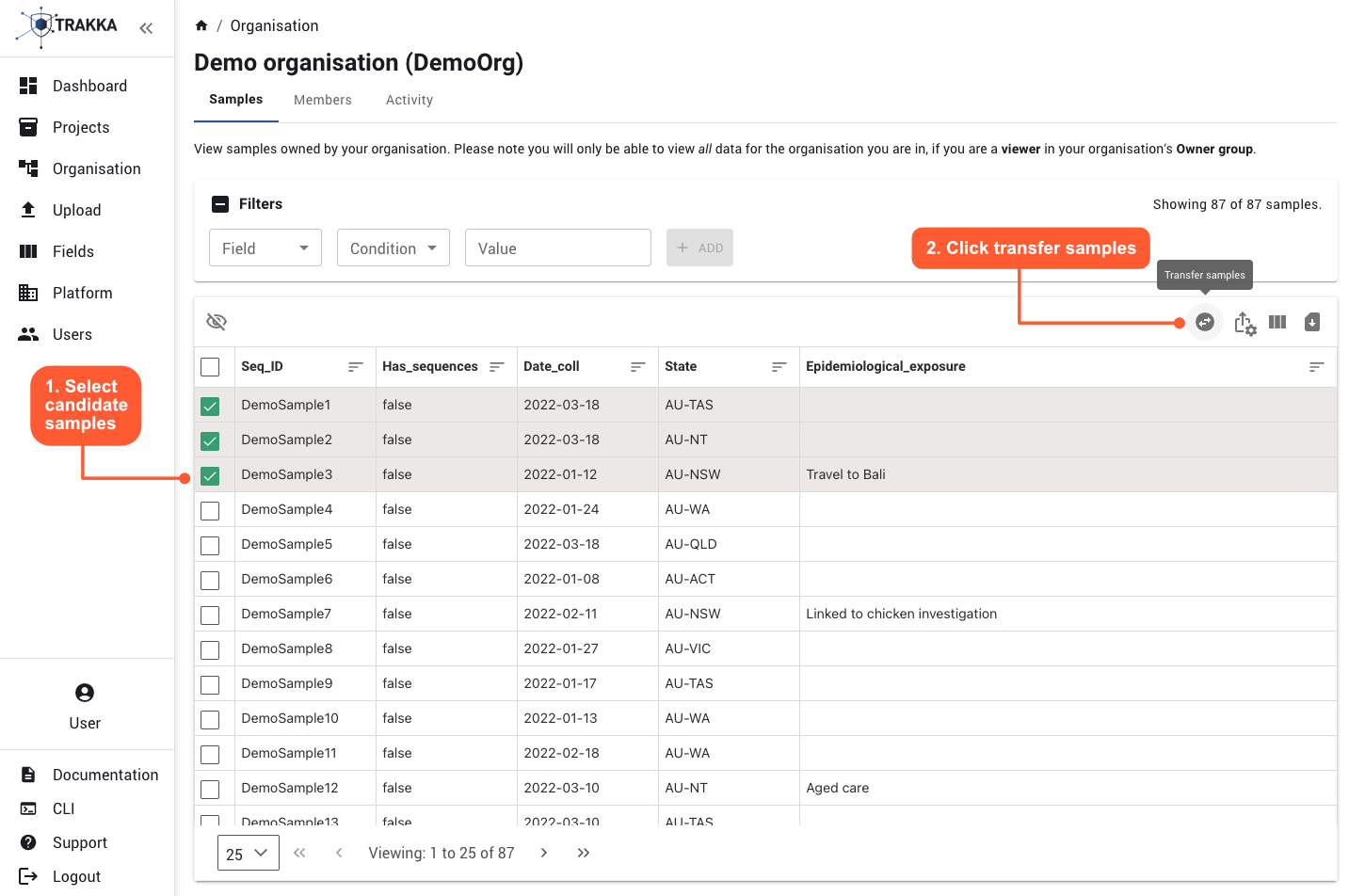
Transferring samples
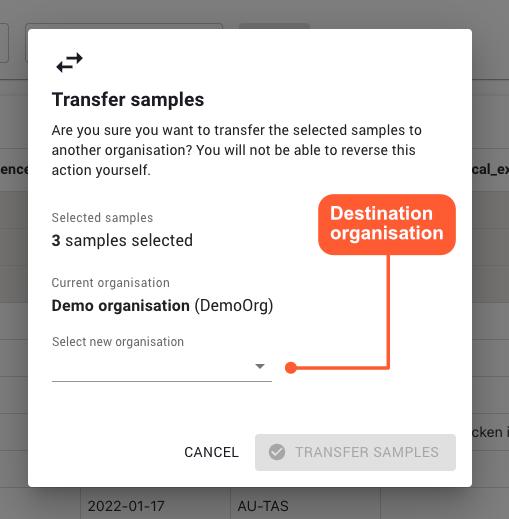
Selecting a destination
Once selected, samples can be transferred to a new destination organisation via the pop up dialog.
Outcome
The transfer outcome should be presented shortly after the TRANSFER SAMPLES button has been clicked.
When a sample is transferred to a new organisation:
- The sample record will no longer appear in the original organisation's sample table
- A record of the transfer will be added to each organisation's activity log