Managing Sample Sharing
This page covers sample sharing in the Trakka web interface. For information on sharing or unsharing samples from the command-line, see the CLI sample sharing page.
Sharing sample records will register samples as being part of the target destination, which is most often a project. This will share any associated sequence files with project analysts, and will share existing metadata with project members if those metadata variables appear in the target sharing destination.
Selecting records for sharing or unsharing
Samples can be shared or unshared directly from within the organisation's owner group sample view. The share menu will only be visible in the table if the selected organisation group is the organisation's owner group and you have the Viewer role in your organisation's Owner group.
From within the organisation sample view, to select samples for sharing/unsharing:
- Select your organisation's owner group
- Select the candidate samples from the table
- Click the share menu in the top right header of the sample table
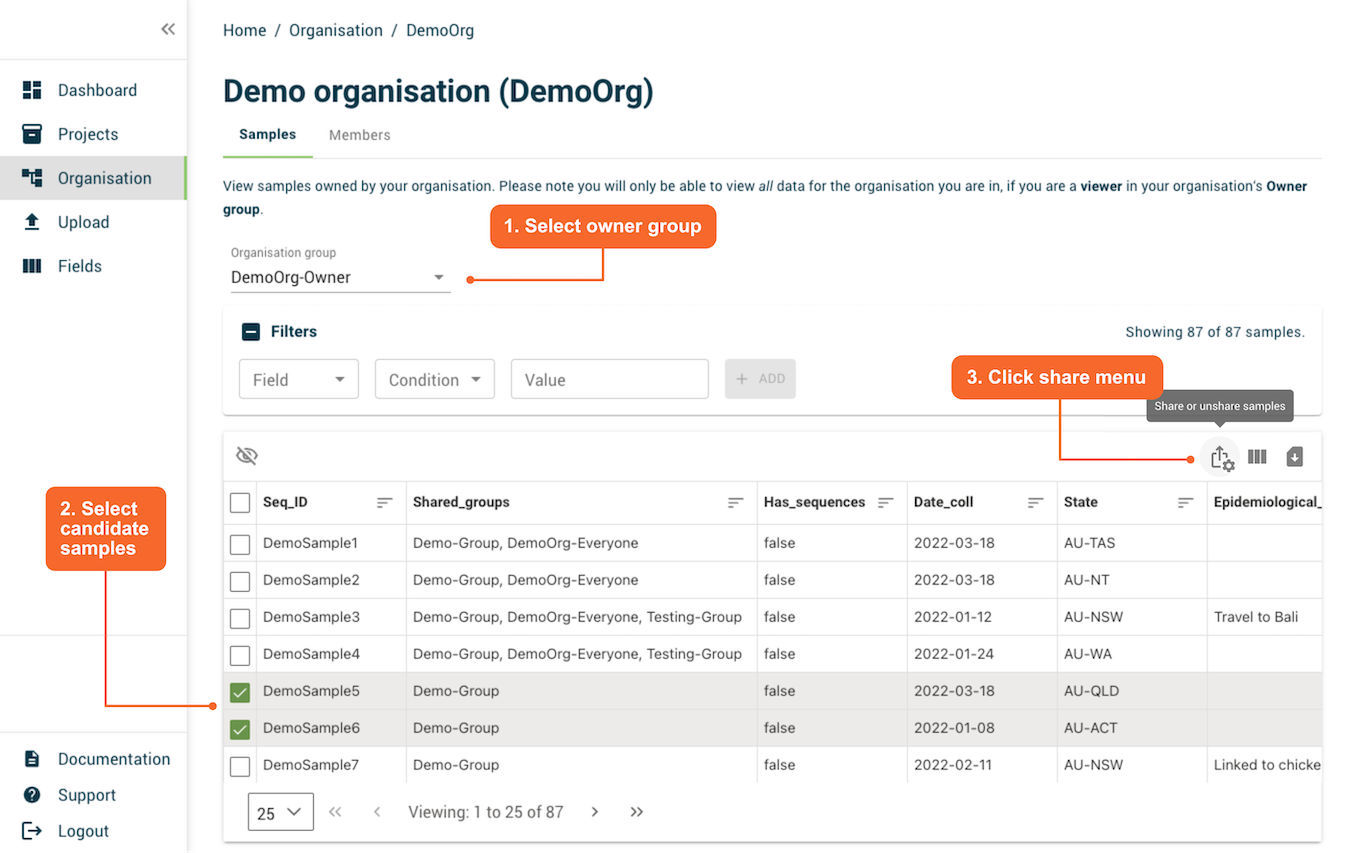
Sharing sample records
Selecting a destination
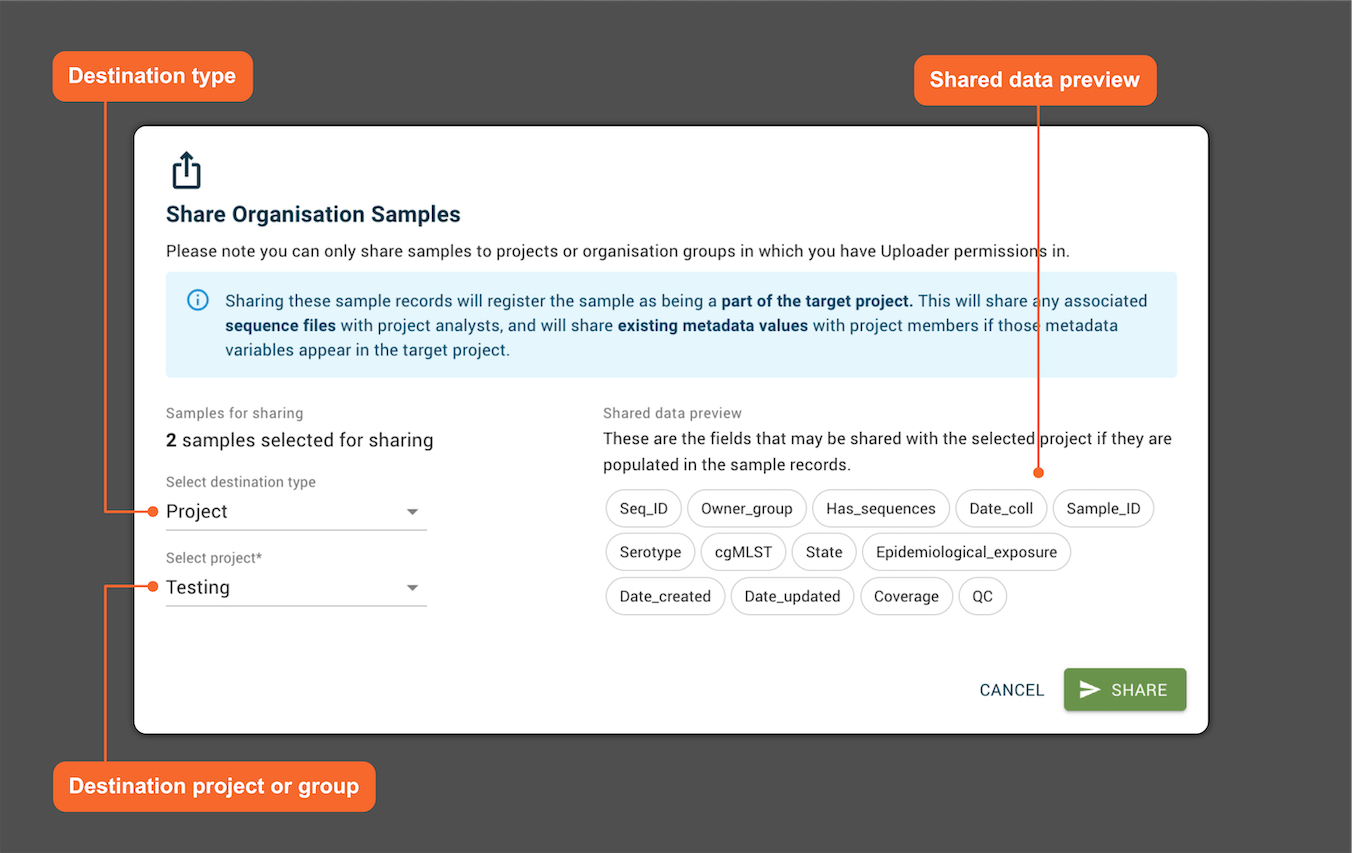
Once selected, samples can be shared via the dialog from your organisation's owner group to either projects, or organisation groups. There are two sharing "destination types":
- Project - You can share to any project in which you are have the Uploader role.
- Organisation group - You can only share to the Everyone group of your organisation, if you have the Uploader role in your organisation's owner group.
Shared data preview
Once you have selected the destination type, and destination project or organisation group, you may see a "shared data preview" on the right hand side of the dialog. This lists the fields currently configured within the sharing destination. If these fields are populated for the samples you are sharing, they will also be shared.
Shared outcome
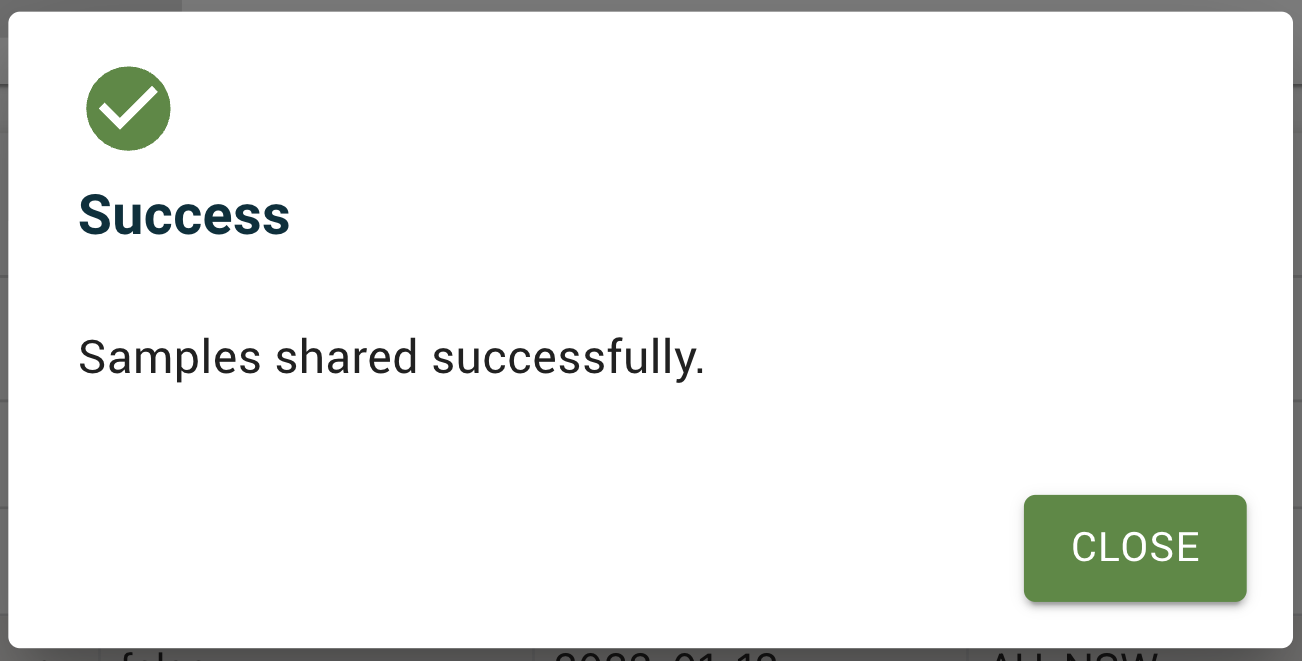
The outcome should be presented shortly after the SHARE button has been clicked.
Unsharing sample records
Un-sharing, or redacting, a sample from a project is rare but may be needed if a sample has been added to a project in error.
Selecting a source
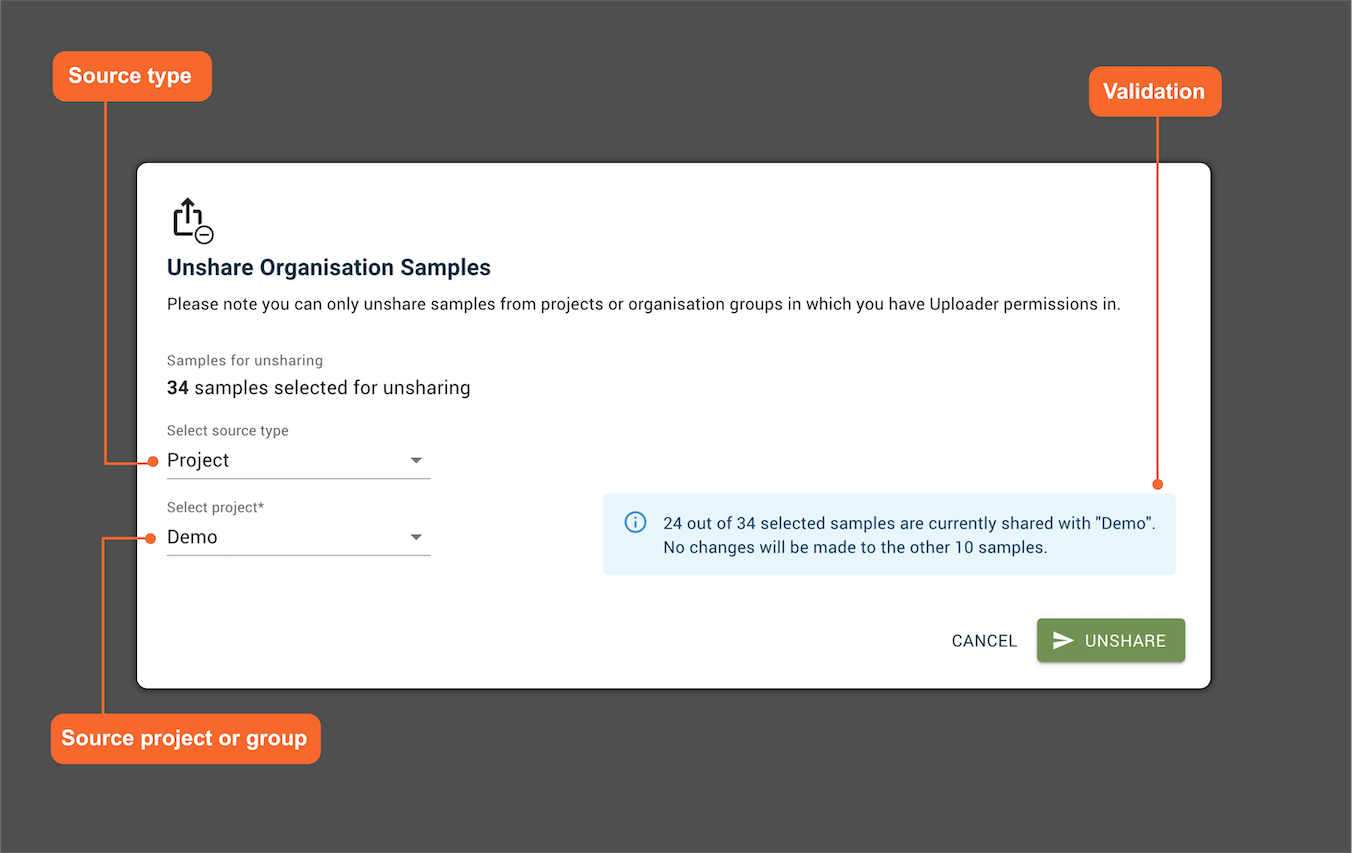
Once selected, samples can be unshared via the dialog from your organisation's owner group to two unsharing "source types":
- Projects - You can unshare from project in which you are have the Uploader role.
- Organisation groups - You can only unshare from the Everyone group of your organisation, if you have the Uploader role in your organisation's owner group.
Note: Both the Projects and Organisation groups lists are filtered to only show sources where the selected samples have already been shared. If the samples haven’t been shared with any projects or groups, the corresponding lists will be empty.
Validation
The system checks which of your selected samples belong to the chosen source group. Only samples that are part of that group will be affected by unsharing, the remaining will be unaffected.
Outcome
The outcome should be presented shortly after the UNSHARE button has been clicked.
When a sample is unshared from a project:
- The sample record will no longer appear in the project's Samples table or in any plots.
- Associated sequence files will no longer be available to project analysts, and sequence files will be automatically deleted from any project context on the analysis servers on the next sync.
- Existing trees containing the sample's Seq_ID may still exist in the project, but the metadata for the sample record in question will no longer be searchable or viewable on the tree, and the tree node will be identified with a "Redacted" label instead of being labelled with the Seq_ID.
- Existing project datasets referring to this sample's Seq_ID may still exist in the project, but their metadata will not be available to Viewers as it will not be able to be linked to a project sample's Seq_ID.
If you need all analyses which were run using this sequence data (such as trees and datasets) to be completely deleted, you will need to contact the project lead.